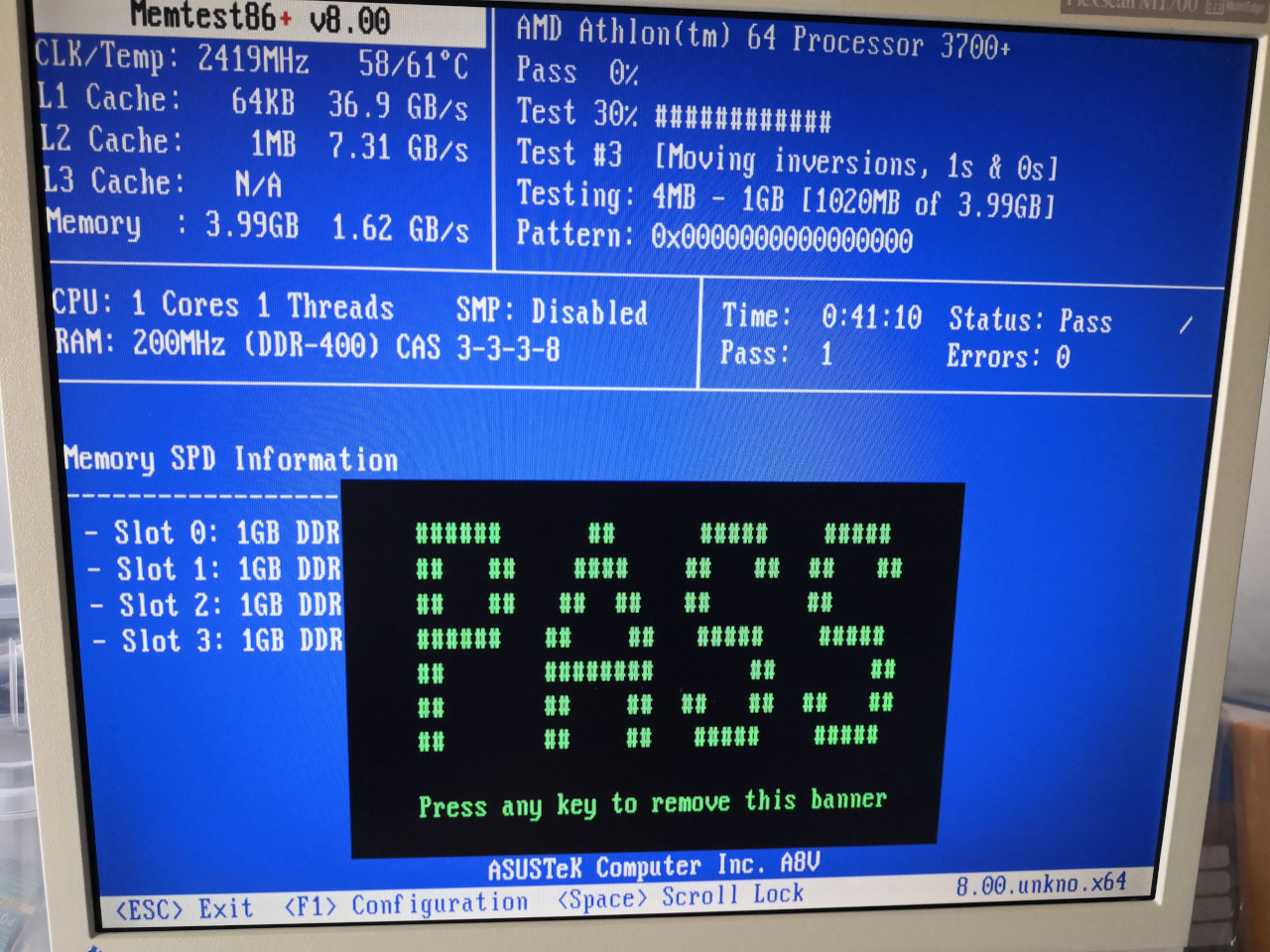
This blog entry is about one of my old computers with a motherboard from about 2004. I personally consider anything with a 64 bit CPU modern. Of course this is factually wrong. The first x64 processors are beyond the 20 year mark. Hardware from that era is often broken and has been scrapped long ago due to capacitor plague ← Let’s not think about that chapter.
The question I’m trying to answer is if a >20 year old PC could be used for everyday tasks. Most would just scream the word, “No!”, but I’m interested in going deeper.
1. Hardware Specs
Now, what am I working with?
| Motherboard | Asus A8V |
| CPU | AMD Athlon(tm) 64 Processor 3700+ (socket 939), single core |
| RAM | 4x1GB DDR1 RDIMMs |
| GPU | NVIDIA GeForce 6600 256MB |
| HDD | 2TB Western Digital RE4 WDC WD2003FYYS-02W0B1 |
| CD/DVD | PLEXTOR PX-760A HL-DT-ST DVDRAM GSA-H42N CD-956B CD-ROM |
| Floppy | Standard 3.5” 1.44MB HD |
There are a few points on this list that stick out as obvious roadblocks on the way to practical usage. Single core CPUs are painful to work with when considering modern software bloat. 4GB of RAM are below the practical minimum. I ordered a PC with 4GB back in 2006 and soon upgraded to 8GB. Finally there is no SSD on this component list. Quite a challenge!
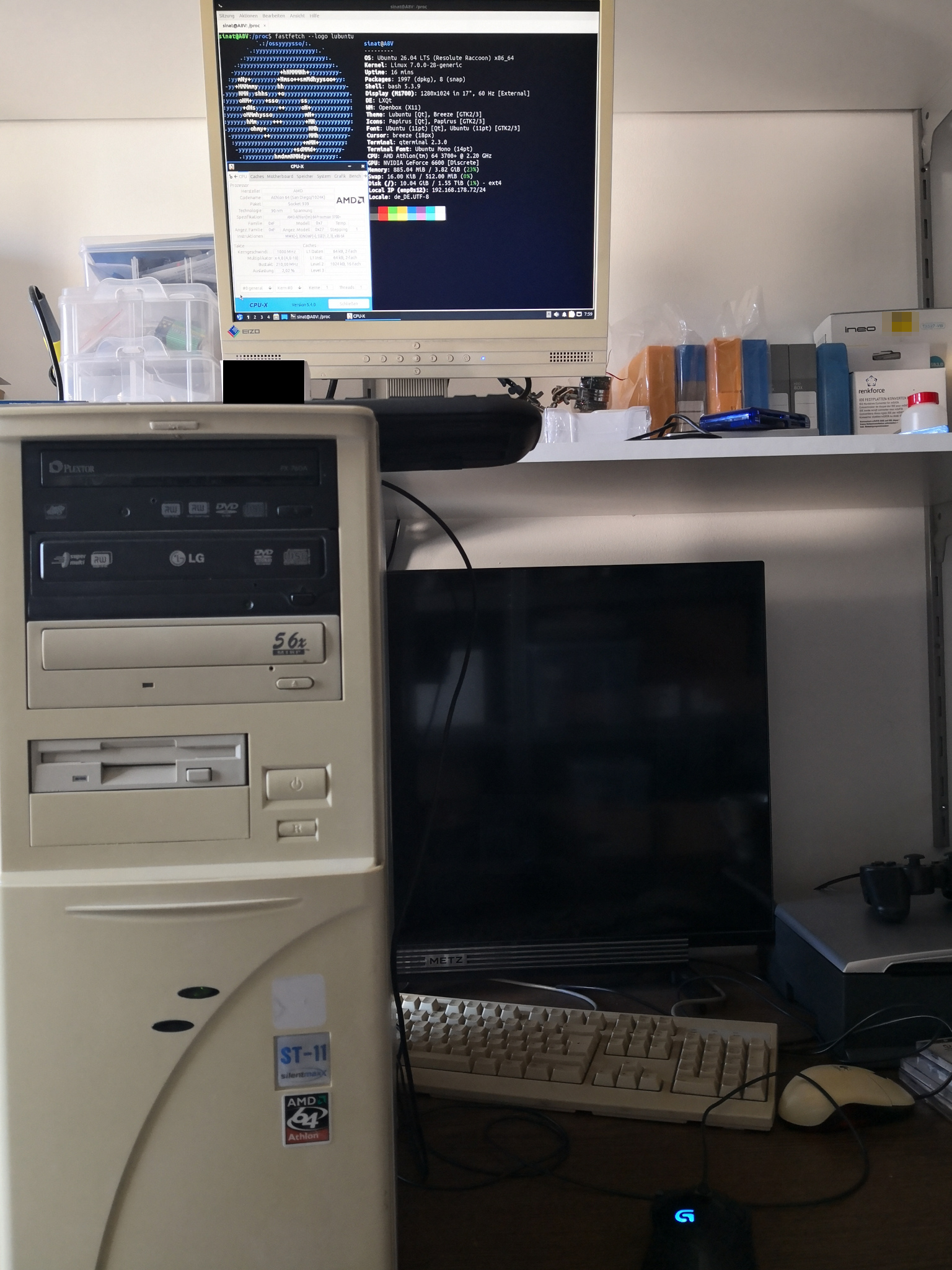

(As always open images in new tab for full size)
2. No Hardware Upgrades!
After being successful with upgrading my ASRock AliveXFire-eSATA2 by installing a Phenom II x4 CPU and 4x4GB DDR2 DIMMs my first impulse was going the hardware upgrade route here as well. But after having had a look on eBay I ditched that idea.
CPU:
The best CPUs for socket 939 are very few dual core Opteron and Athlon models – but they are either way too expensive for a fun project or right away unavailable. AM2/AM2+/AM3 CPUs are abundant and cheap, but good socket 939 ones… forget it →No better CPU!
RAM:
This isn’t looking too promising as well. Unregistered, non-ECC DDR1 DIMMs are generally limited to 1GB each. The board was higher end consumer stuff back then and supports RDIMMs, which do exist in 2GB modules. The official limit is 4x1GB regardless of UDIMM/RDIMM. Only one source claimed a possible upgrade to 4x2GB using registered ECC RAM: theretroweb.com
I’m not feeling lucky enough for purchasing museum server RAM with a high chance of this not working. → No bigger RAM!
SSD:
Lastly, where is the SSD? Any old computer should be upgraded with an SSD as system drive while keeping the HDD for data storage. I ran out of SSDs, but that’s not the real problem. Problem is VIA VIA VT6420 SATA. It is a legacy SATA I controller and does not detect any SATA II or III devices. To get my WD RE4 HDD detected I had to set a jumper to force it into legacy mode. No big deal with a great enterprise hard disk. Unfortunately none of my SSDs was willing to throttle itself to SATA I. → No SSD!
What a load of 💩shit💩!
3. Low On RAM…
A) Low On RAM…
As if being limited to just 4GB DDR1 RAM wouldn’t be bad enough, there is also something called “PCI memory hole”. Using the same addresses for communicating with PCI devices and memory above a certain point leads to parts of RAM being unavailable. On many older systems there is an option called something like “remap memory hole”. This moves some PCI addresses to a higher point, above 4GB and allows to make full use of all RAM with a 64 bit OS.
Alas, it isn’t as easy. After activating that function Windows 7 just would not start anymore. Hanging on the glowing logo for all eternity. Without remapping the OS started normally again. Should this mean I can only use – in the case of this system (it is different for each chipset/board/configuration) – 3328MB out of 4096MB? Losing access to 768MB, 18.75% of the total memory hurts.
A fully (January 2023) patched Windows 7 64 Bit without anything already has a footprint above 1GB. Opening latest Firefox ESR 115.x and loading a few tabs brings the system at its limits. 80% or 90% RAM usage according to Task Manager. This means pagefile usage on rotating rust. Oh please… NOT! I desperately need this ¾ of a gigabyte!
B) Linux Is Better?
Maybe Windows 7 isn’t up to the task of dealing with more memory on legacy systems. Modern Linux must surely have figured it out by now… right? Well, installing latest Lubuntu 26.04 went smooth. Took a while, but that is expected. Opposed to Windows a brand new Linux started. Boot time is rather long but once loaded LXQT desktop really shows that is is capable of running on weak hardware.
There is just one problem: No network! Ethernet cable is inserted but Linux fails starting up the onboard NIC giving nonsensical error messages. Without memory hole remapping Lubuntu is online.
Go to hell! What for is this BIOS option if it creates conflicts with integrated (onboard) hardware? Did anybody test if this shit actually works? Well, it does work once disabling the NIC in BIOS altogether. Windows 7 boots → full memory. Same for Lubuntu.
C) Test with USB Ethernet Adapter
Enter stage: LogiLink UA0422 USB Ethernet adapter.Plugged it in and…
Lubuntu → Online✅
Windows 7 → Unknown Device, no driver ❌
LogiLink provided nothing. At this point I’m not even asking for a proper driver CD… but how about at least a download link? I hate this so much! Let’s see what lsusb delivers.0bda:8156 Realtek Semiconductor Corp. USB 10/100/1G/2.5G LAN
A standard Realtek chip. Great! Just had to install the Realtek driver package for Windows 7 and this adapter was good to go.
D) PCI Card
Having an external dongle all the time on a desktop PC is neither elegant nor a good idea in case of USB 2.0. Not only won’t it ever reach full speed, USB seemed to stress the old CPU even more. What now? I don’t have any “modern” PCI Ethernet cards lying around. Since every single motherboard is equipped with onboard NIC since decades I never bothered getting some. This leaves 100MBit/s Ethernet cards from the Windows 98 days.Ethernet controller: Realtek Semiconductor Co., Ltd. RTL-8100/8101L/8139 PCI Fast Ethernet Adapter (rev 10)
Unbearable for moving huge amounts of data in LAN, but good enough for going online.
4. Final Verdict
So, how did it go? The outdated Windows system is borderline unusable. Even Windows 7 is best used from SSD. The moment your RAM is full on a system with HDD only, you’re basically f…ed. My personal experience for using 64 bit Windows smoothly greatly differs from official Microsoft values.
| Version | Min RAM |
|---|---|
| Vista/7 | 8GB |
| 8/8.1 | 12GB |
| 10 | 16GB |
| 11 | 32GB |
The latest Lubuntu 26.04 was a great surprise. For an OS from the year 2026 it works outstandingly good on a PC that is more than 20 years old. Latest Firefox with three tabs open, LibreOffice open for typing this blog entry and RAM usage is about 2GB. No tendency to use swap.
In the end this machine is not usable for me because of missing full disk encryption. I cannot even think of using LUKS, BitLocker or VeraCrypt here.
The only little success in improving hardware performance was replacing the thermal paste. Under full load the old CPU became hot (70°C) which got reduced to 55°C to 60°C with new thermal paste even when choosing 10% automatic overclock in BIOS.